

















Table of Contents
- • Roxio Review Summary
- • About Roxio
- • Other opinions about Roxio
- • Overview of Roxio
- • Roxio Review
- • Roxio Creator NXT 9 Review
- • Roxio Creator NXT Pro 9 Review
- • Roxio Toast 20 Titanium Review
- • Roxio Pros & Cons
- • Roxio Return Policy
- • Roxio Shipping Policy
- • Roxio Warranty Policy
- • Where to buy Roxio?
- • Conclusion of Roxio reviews & ratings
Roxio Review Summary
Roxio is a software company specializing in multimedia and disc burning solutions designed for both individual and business users. It generally delivers a reliable and comprehensive suite of tools for media creation, conversion, and secure burning. The software may appeal to those needing an integrated multimedia toolkit but has some limitations regarding copy-protected content and additional plug-ins for Blu-ray support.
Highlights
- Suitable for creators and businesses needing multimedia management and disc burning
- Offers a broad range of editing, burning, and conversion tools
- Limited by inability to handle copy-protected media and requires extra plug-ins for some features
- Overall solid performance with a score of 4.5/5
Within the broader category of multimedia software, Roxio occupies a mid-to-high-tier position balancing ease of use and advanced features. Alternatives exist for users seeking free options or copy-protection support. For further details, consider reading the Roxio review.
About Roxio
Managing and securing multimedia files can be challenging due to diverse formats and device compatibility issues. Many users also struggle with creating backups and converting content efficiently for different platforms. These tasks require reliable tools that simplify complex media management processes.

Roxio offers a collection of multimedia and disc-burning software suites designed for consumers and businesses. Positioned as a mid to high-tier provider, it supports Windows and macOS users with tools for editing, burning, converting, and securing digital media across formats. Roxio integrates multiple functions into versatile packages to streamline media tasks.
With over 25 years of operation and positive user feedback reflected in a 4.6 rating on Capterra, Roxio maintains a steady presence in the multimedia software market. Its products are praised for ease of use, reliable performance, and comprehensive feature sets. Continuous updates and Corel Corporation ownership further contribute to its credibility and stability.
The software suits creators and businesses needing integrated media management and disc burning capabilities. However, it cannot copy or convert copy-protected content, and some features like Blu-ray burning require additional plug-ins. For detailed insights and user experiences, see the Roxio review.
Other opinions about Roxio
Opinions and insights gathered from trusted review articles and authoritative websites covering Roxio.
Overview of Roxio
Roxio is a software developer specializing in multimedia and disc burning solutions designed for both individual and business users. It operates as a part of Corel Corporation, a larger parent company within the software industry. Roxio provides products compatible internationally across Windows and macOS platforms.

Its operational model focuses on developing, distributing, and continuously updating diverse multimedia suites, including creation, conversion, editing, and secure data management tools. Roxio's product offerings include Creator NXT and Toast Titanium suites, which support a broad range of media formats and functionalities like disc burning, file encryption, and video editing. These products are primarily sold through digital downloads and boxed versions available on the official site.
The Roxio Review reflects the brand’s role as a comprehensive multimedia toolkit provider that balances ease of use with advanced features. Although it does not support copying or converting copy-protected media, Roxio maintains a consistent release cycle and integrates advanced editing capabilities to serve creators and businesses globally. The company offers software updates and licensing through its official channels to ensure ongoing functionality and customer support.
Roxio Review
Roxio is a brand specializing in multimedia and disc burning software solutions catering to both individual users and businesses. It provides tools for managing, editing, and securing digital media with a focus on ease of use and reliability. The brand is known for its versatile software suites that support multiple platforms, including Windows and macOS.

Roxio's product lineup includes comprehensive multimedia suites that combine disc burning, file conversion, and advanced editing features. These solutions are designed to streamline media creation, backup, and management for a wide range of users. The brand maintains a solid presence through consistent updates and integration of advanced capabilities like encryption and multi-format support.
Roxio Highlights
- Multimedia editing and disc burning tools
- Cross-platform compatibility
- Secure data encryption
- Consistent software reliability
- Comprehensive media management features
Roxio Creator NXT 9 Review
Creator NXT 9 is a multimedia suite designed for users who need versatile tools for burning, copying, editing, and converting discs and media files. It targets individual creators who require a broad set of features with a focus on ease of use.
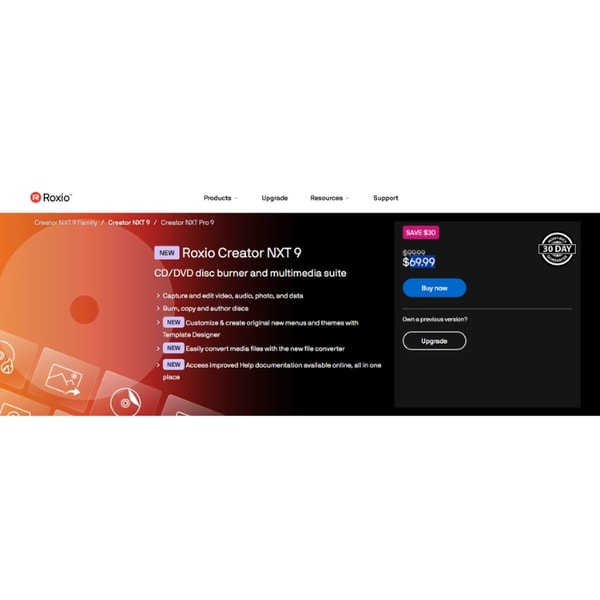
This mid-tier solution includes over 20 multimedia applications, such as template design and video editing tools, offering a robust platform for personal and casual professional use. The suite integrates various functions to support diverse multimedia projects.
Key features include the VideoWave editor and MultiCam Capture among its applications. Pricing details were not provided in the source data, and the software is available through digital download and boxed versions.
Price $69.99 • roxio.com
Roxio Creator NXT Pro 9 Review
Creator NXT Pro 9 offers advanced multimedia editing and secure disc burning tools designed for professional users and businesses. It provides enhanced capabilities for managing complex media projects.
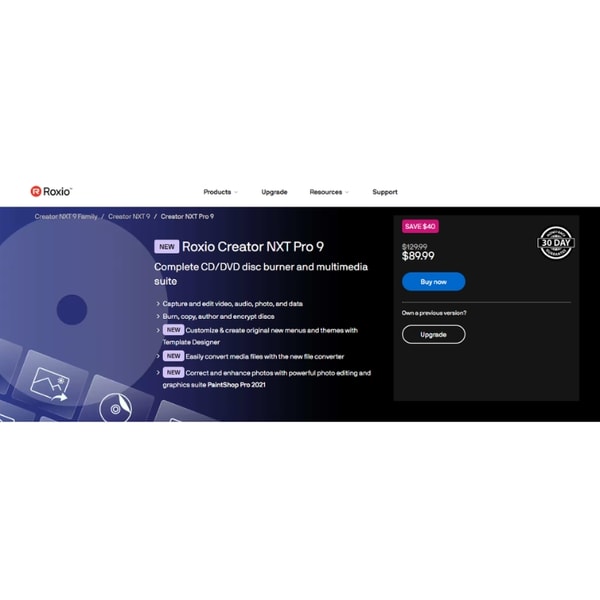
This suite expands on the functionality of Creator NXT 9 by integrating Corel PaintShop Pro 2021 and WinZip Secure Burn encryption. These additions support both creative work and data security needs.
The product includes features such as advanced video editing, photo editing, and file protection. Pricing details are not documented in the provided source information.
Price $89.99 • roxio.com
Roxio Toast 20 Titanium Review
Toast 20 Titanium is a media suite designed for macOS users, offering tools for disc authoring, file conversion, and screen recording. It supports various creative workflows with its multimedia capabilities.
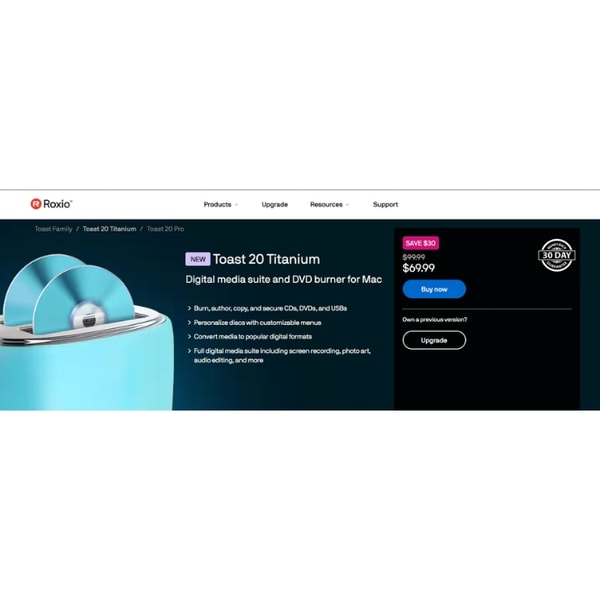
The software is positioned in the mid to high-tier range, focusing on ease of use and broad feature integration, including AI-powered photo painting. Blu-ray disc burning is supported but requires purchasing a separate plug-in.
This product is compatible with macOS versions 10.14 and later. Pricing information is not documented in the provided source.
Price $69.99 • roxio.com
Roxio Pros & Cons
Roxio offers a multimedia and disc burning software suite that is easy to use with a small learning curve, making it accessible to a broad range of users. Its comprehensive tools support multi-platform use on both Windows and macOS, and include secure burning features such as encryption via WinZip Secure Burn. Users also benefit from customizable DVD menu creation and advanced photo editing capabilities available in Pro versions, alongside consistent and reliable performance.
However, Roxio software has limitations including the inability to copy or convert copy-protected media, which may restrict some workflows. Additionally, Blu-ray disc burning requires purchasing an extra plug-in, and there is limited publicly available information regarding return and warranty policies. These factors should be considered when evaluating its suitability for specific user needs.
- • Easy to use with small learning curve
- • Comprehensive multimedia editing and disc burning tools
- • Multi-platform support for Windows and macOS
- • Secure burning with encryption via WinZip Secure Burn
- • Customizable DVD menu creation with Template Designer
- • Integration of advanced photo editing in Pro versions
- • Consistent and reliable performance
- • Cannot copy or convert copy-protected media
- • Blu-ray disc burning requires extra plug-in purchase
- • Limited information on return and warranty policies
Roxio Return Policy
The return policy details such as the number of days for returns, applicable fees, conditions for eligibility, and any exclusions are not documented in the provided source. Customers are advised to visit the official support or contact pages for more information regarding returns. Without specific documentation, it is unclear what the exact procedures or guidelines are for returning products.
Due to the absence of detailed return policy information, users should consider reviewing terms at the point of purchase or reach out directly to customer support for clarity. This approach ensures understanding of potential limitations or requirements related to returns or refunds. The lack of documented return specifics suggests that users need to rely on official support channels for accurate and updated policy guidance.
Roxio Shipping Policy
Roxio products are delivered primarily through digital download, making them accessible internationally. Boxed versions are available, but specific shipping details for physical copies are not provided. The software is compatible with both Windows and macOS operating systems.
Access to the software is immediate upon purchase and download. Installation, registration, and updates require an internet connection. No information about tracking or shipping costs for boxed versions is specified.
Roxio Warranty Policy
Warranty coverage details are not documented in the provided source. There is no information available about the duration or scope of any warranty offered. Users should refer to official support resources for specific warranty inquiries or concerns.
No explicit warranty guarantees or terms beyond the standard software usage policies are mentioned. Customers are recommended to consult the official Roxio support channels for clarity on warranty matters. No additional guarantees or protections are provided in the available documentation.
Where to buy Roxio?
Roxio products are officially available for purchase through their website, where users benefit from structured account systems, access to customer support, and clear policy information. You can expect digital downloads or boxed software that works internationally, with reliable licensing and updates. Although availability is primarily online, and physical store presence is not detailed, marketplace conditions may lead to variation in stock or service levels elsewhere. This official channel provides a consistent buying experience but users should be aware that some features, such as Blu-ray functionality, may require additional plugins.
Conclusion of Roxio reviews & ratings
Roxio holds a solid position in multimedia software by offering tools that combine disc burning, editing, and file management in one suite. Its strengths include ease of use, reliable performance, and support for multiple platforms, as seen on roxio.com. These features make it a notable option for users handling various media tasks across Windows and macOS.
For those interested in learning more, exploring the range of Roxio’s offerings can provide valuable insight. Readers can revisit this Roxio review to assess how these capabilities meet their specific needs with a clear view of the software’s scope and limitations.
Editorial notes reflect aggregated buyer feedback and our independent editorial review of publicly available information. They are for informational purposes only and do not constitute endorsements. Purchases are made at your own discretion, and we are not responsible for transactions or outcomes related to this store. Experiences may vary. This content is assisted by AI and reviewed by our editorial team. While we strive for accuracy, AI-supported information may not always be 100% precise, so please verify any critical details.

